Systems Integration: Types, Processes & Common Challenges

Systems Integration: A Complete Guide to Connecting Your Systems, Streamlining Workflows, & Overcoming Common Challenges
From CRMs and ERPs to e-commerce platforms and data warehouses, disconnected systems create silos, slow down operations, and make it harder to get a clear picture of what’s actually happening across the business. That’s where systems integration comes in.
At its core, systems integration is the process of connecting different applications, platforms, and data sources so they can function as a unified ecosystem. No matter the product or industry, the goal is the same: make your technology stack work together, not against you.
Here, we break down what systems integration is, how the system integration process works, and the most common types of integration used today, alongside practical system integration examples and examples of how businesses are overcoming challenges like legacy system integration to scale more efficiently.
What is Systems Integration? 6 Common Types and Real-World Examples
Not all systems integration looks the same. Depending on your tech stack, business goals, and level of complexity, organizations typically rely on a mix of integration patterns to unify their systems effectively. The right approach depends on how your systems need to communicate, how data flows, and how your architecture is designed to evolve.
- Point-to-Point Integration: The simplest form of integration, where two systems are directly connected to exchange data.
- API-Based / Middleware Integration: Uses APIs or middleware platforms to act as a central hub for routing and transforming data between multiple systems.
- Event-Driven Integration: Systems communicate through triggers (like webhooks) when specific actions occur, enabling real-time automation.
- Data Migration as Integration: A one-time or phased approach where data is moved from one system to another, often replacing legacy dependencies.
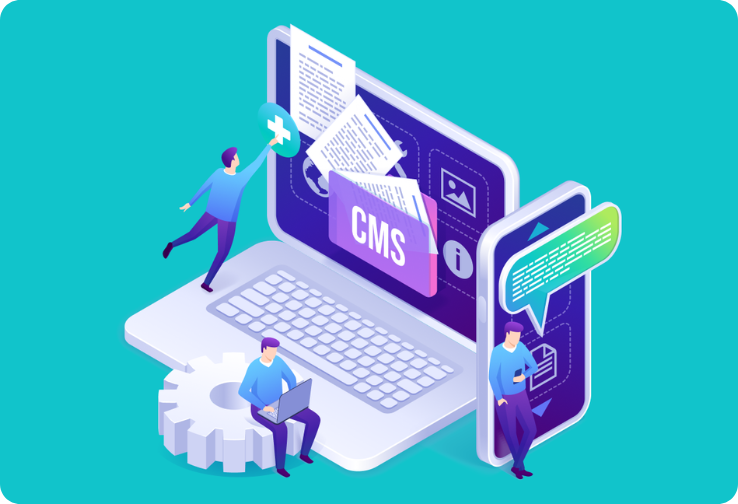
- CMS & Content Integration: Connects content management systems (CMS) with commerce platforms and other front-end applications to ensure consistent content delivery.
- Analytics & Tracking Integration: Unifies user behavior data across marketing, analytics, and experimentation tools to create a cohesive attribution layer.
In practice, real integration projects rarely fit neatly into a single category. Most enterprise initiatives require several integration types working in concert — and the Hunter Douglas ecosystem is a clear illustration of that reality.
To ensure seamless operations, real-time data flow, and minimal disruption, ITG applied multiple integration strategies in concert. When ITG built the InstallCo platform to replace the existing, legacy enterprise SaaS ecosystem as the operational backbone for Hunter Douglas’ 500+ installers across the US and Canada, what began as a platform migration evolved into a multi-layered integration initiative as additional systems and workflows were incorporated to support long-term scalability.
Point-to-point connections tied InstallCo directly to DirectConnect and Brite Install for automatic Work Order creation. API-based middleware linked InstallCo to SAP via Brite Order to pull service order details, product updates, and shipment statuses in real time. And event-driven logic powered the notification system, automatically alerting the right users whenever a Work Order changed status or required action.
That’s three integration types working simultaneously within a single project. Add the data migrationrequired to move existing Work Orders and users out of existing legacy enterprise system without disrupting live operations, and you have four. This kind of layering is the norm. The more mature a company’s technology ecosystem, the more likely any initiative will require a combination of integration approaches to execute cleanly and scale reliably.
A Typical System Integration Process: From Discovery to Deployment (and Beyond)
Successful systems integration starts with clarity. Whether you’re connecting a few critical platforms or orchestrating a full-scale enterprise e-commerce transformation, the system integration process follows a structured path designed to reduce risk, maintain continuity, and ensure long-term scalability.
1. Discovery & Audit
Before anything is built or connected, you need a complete picture of your current ecosystem. This phase focuses on identifying all systems in play, how they interact (or don’t), and where dependencies exist.
It’s also the time to document gaps or missing capabilities — a “wish list” of features and improvements you would want in an ideal system. By capturing both what exists and what’s needed, you create a roadmap that guides design, prioritizes critical functionality, and ensures the integration ultimately delivers real business value.
Key activities include:
- Auditing existing applications, data sources, and integrations
- Mapping workflows and data flows across systems
- Identifying bottlenecks, redundancies, and manual processes
- Flagging risks tied to legacy systems or undocumented logic
2. Define Scope & Continuity Requirements
Key activities include:
- Defining core business-critical workflows
- Prioritizing integrations based on impact and urgency
- Developing a timeline for phased implementation
- Establishing uptime, performance, and data consistency requirements
- Planning for rollback or failover scenarios
3. Architecture & Design
With priorities defined, the next step is designing how systems will connect. This includes selecting the right integration patterns and defining how data will move between systems.
Key activities include:
- Choosing between point-to-point, API-based, or event-driven architectures
- Designing data models and transformation logic
- Defining authentication, security, and access controls
- Planning infrastructure (often using Infrastructure as Code)
4. Build & Test
This is where integration moves from theory to execution. Teams develop the integrations and validate that everything works as expected before anything goes live.
Key activities include:
- Building integrations using APIs, middleware, or custom services
- Setting up CI/CD pipelines for consistent deployment
- Conducting QA, integration testing, and edge case validation
- Automating tests to ensure long-term stability
5. Cutover & Data Migration
Once integrations are implemented and validated at key checkpoints, it’s time to transition fully to the new system. This step requires careful coordination to avoid downtime and data loss.
Key activities include:
- Migrating live data from legacy systems
- Running systems in parallel (if needed) to validate outputs
- Executing a controlled cutover to the new integrations
- Monitoring for issues in real time during launch
By validating at each phase — rather than waiting until everything is built — you can catch issues early, ensure each component works as expected, and make the final cutover smoother and safer.
6. Monitor & Maintain
Integration doesn’t end at launch. Ongoing monitoring ensures your new systems continue to perform reliably as business needs evolve.
Key activities include:
- Monitoring system performance, uptime, and data accuracy
- Setting up alerts for failures or anomalies
- Maintaining and updating integrations as systems change
- Continuously optimizing for performance and scale
Legacy System Integration: Common Challenges and How to Overcome Them
Even the best-designed integrations can run into friction. As systems grow, dependencies deepen, and data flows become more complex, organizations face a common set of challenges that can slow progress or introduce risk if not addressed early.
Legacy System Dependencies
Legacy platforms often become deeply embedded across teams, workflows, and reporting structures, making them difficult to replace without disrupting operations. Over time, systems naturally evolve to include custom logic, integrations, and operational dependencies that must be carefully understood during transition planning.
Before Hunter Douglas could begin transitioning away from its legacy, enterprise SaaS system, ITG led a dedicated discovery effort to map exactly how four different business units — Sales, Credit, Order Management, and Master Data — integrated with the platform day to day. That work identified critical workflows, automation dependencies, and the minimum capabilities required for teams to keep operating on day one with the new platform in place.
The lesson: legacy decommissioning isn’t a technical problem first; it’s a discovery problem.
Data Consistency Across Platforms
Keeping product data, pricing, and content synchronized across systems like SAP, Sanity, and Shopify in real time is harder than it sounds. Different platforms operate on different data models, update frequencies, and sources of truth, creating conditions for mismatches, duplication, and stale data to creep in.
When ITG migrated Hunter Douglas to Shopify Plus, the platform needed to stay in sync with both Sanity (the content source) and SAP (the order backend) simultaneously. To ensure consistency, ITG built a custom synchronization application specifically to keep product data aligned between Sanity and Shopify at all times. Establishing a clear source of truth for each data type — and building validation layers to catch inconsistencies before they propagate — is what keeps multi-system architectures from quietly drifting apart.
Tight Coupling Between Services
As systems become more interconnected, they can make updates risky and scaling difficult. Changes in one dataset can unexpectedly break others, slowing development velocity and raising the stakes of every deployment.
ITG addressed this proactively for Hunter Douglas by building an AI-powered pull request analysis workflow that automatically scans code changes for tight coupling patterns — such as new SDK imports, gRPC connections, and cross-service dependencies. High-severity PRs are blocked before they reach production, with clear recommendations pushed back to the developer. Favoring event-driven architectures, enforcing clean service boundaries, and catching coupling early in the development lifecycle keep systems flexible as Hunter Douglas continues to scale.
Role and Permission Complexity
Integrated platforms almost always serve multiple user types — and each one needs a different view of the same underlying data. As systems connect, permissions must be consistently enforced across all platforms, or else you risk security gaps, broken experiences, or users accessing data they shouldn’t.
This played out across multiple Hunter Douglas projects. Both the InstallCo installer platform and the Pinnacle Advertising marketplace required role-based access control granular enough to ensure that dealers, installers, operations staff, and admins each saw only the data relevant to their responsibilities. Centralizing identity and access management, standardizing role definitions early, and mapping permissions across every integrated system before go-live is far less painful than retrofitting access controls after the fact.
Ensuring Continuity During Transition
Business operations can’t pause while systems are being integrated, migrated, or replaced. Even short periods of downtime or data inconsistency can impact final revenue reporting, customer experience, or the internal teams who depend on those systems daily.
When Hunter Douglas partnered with ITG to modernize their digital ecosystem, multiple migrations ran concurrently: content moved off Contentful and Adobe Experience Manager, the Parts Portal transitioned to Shopify Plus, marketing automation shifted to Iterable, all synchronized with SAP. ITG mitigated the high technical risk — given the critical nature of these systems, careful coordination was required to ensure uninterrupted dealer operations, order processing, or communications — through phased rollouts, parallel system runs, and thorough validation.
The result: a seamless migration with zero downtime or operational disruption.
Unlock the Full Potential of Your Tech Stack with ITG’s System Integration Services
At ITG, our system integration services combine technical expertise, proven processes, and strategic guidance to connect your applications, streamline workflows, and ensure data flows seamlessly across your organization.
Whether you’re dealing with legacy dependencies, multiple platforms, or high-risk migrations, ITG helps you plan, execute, and maintain integrations that scale reliably. Don’t let disconnected systems hold your business back. Partner with ITG to turn integration complexity into a competitive advantage.
Contact us today to learn how our system integration services can simplify your stack, eliminate silos, and keep your operations running smoothly.